Turn restaurant TVs into clear, appetizing digital menu boards.
Bizrie helps restaurants and cafés display menu items and prices, promote specials, feature signature dishes, and share guest updates on customer-facing TVs.
Preview a restaurant channel that moves naturally between clear menu choices, current prices, specials, loyalty, and service updates.
Grilled salmon bowl
Roasted garden flatbread
LUNCH MENUFresh favorites, made today.Order at the counter or scan the table code.
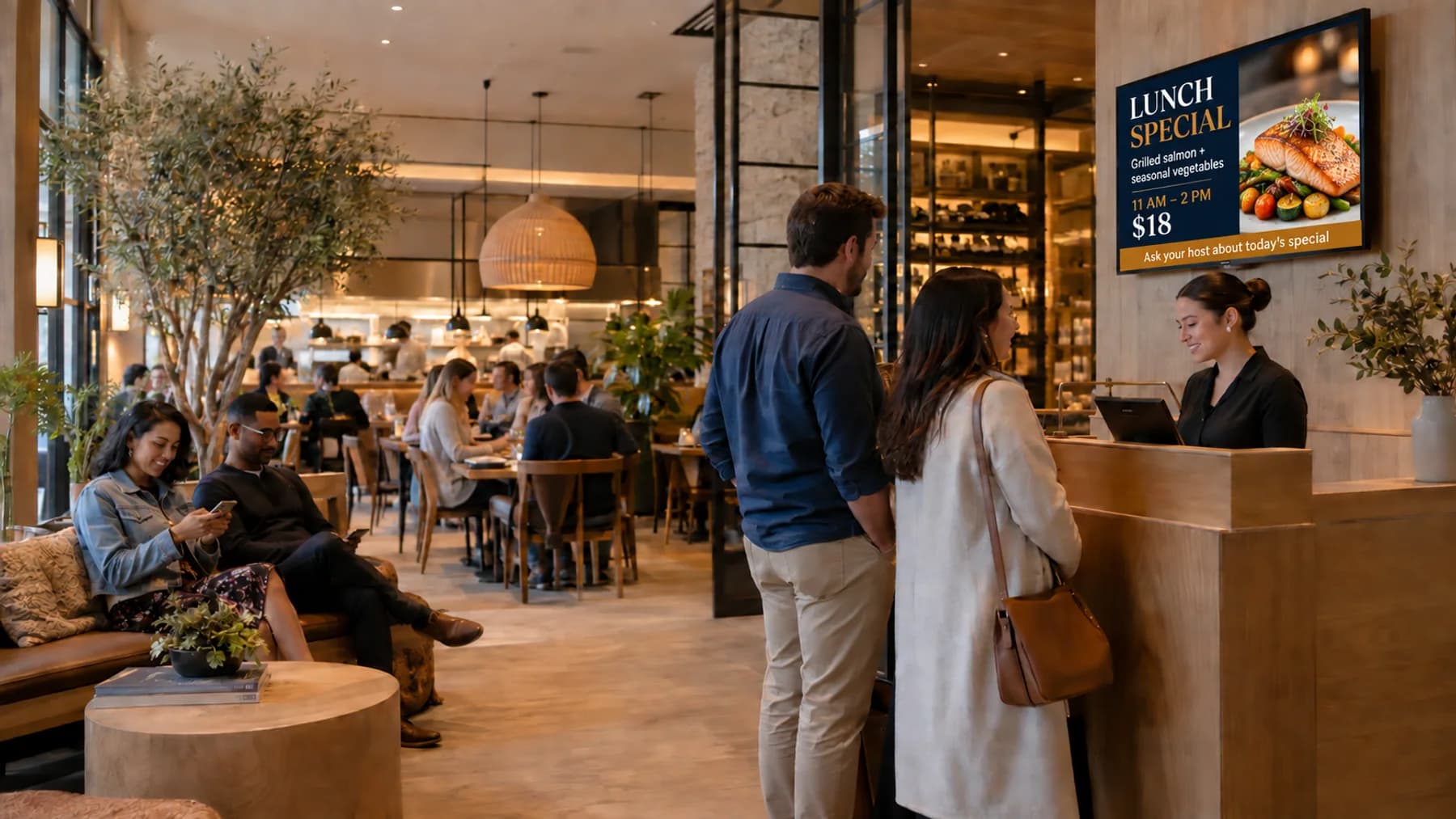
TODAY’S SPECIALGrilled salmon, bright and simple.Served with lemon herb rice and seasonal vegetables.
HELLO THEREStay for something special.
WELCOME
WEEKDAYS · 3–6 PMA little more to look forward to.Ask your server about today’s drinks and shareable plates.
PICKUPREADY
ORDER STATUSPickup orders are ready at the host stand.Please have your order confirmation available.
GUEST FAVORITE“We came for lunch and stayed for dessert.”A recent Juniper Table guest
01 / 05
Juniper TableKITCHEN + CAFÉ
The waiting-room difference
The TV is already there. Give it a purpose.
Without a useful TV channel
Guests may have to scan a crowded printed menu, search for prices, or ask which items are currently available. Static signs are difficult to update by daypart and rarely build anticipation for specials, add-ons, and return visits.
With a Bizrie channel
A restaurant TV can work as a clear digital menu board—showing current categories, items, descriptions, and prices—then rotate into lunch specials, signature dishes, loyalty rewards, and operational notices.
Value for the business
Make the screen support the work your team is already doing.
Bizrie helps restaurants keep menu information and promotions aligned with the daypart. Teams can update supplied items and prices, support larger check averages, and give guests another reason to return without reprinting a board for every change.
What content is useful on waiting-room TV for restaurants & cafés?
Useful content includes Digital menu boards with current items and prices, Lunch and happy-hour specials, Signature dishes and drinks, Dessert and add-on features, Loyalty program invitations, Private events and catering, and wait and pickup announcements. The strongest channel alternates practical information with short educational and promotional messages instead of repeating one advertisement.
01Digital menu boards with current items and prices02Lunch and happy-hour specials03Signature dishes and drinks04Dessert and add-on features05Loyalty program invitations06Private events and catering07Wait and pickup announcements
Practical answers
Common questions about waiting-room TV for restaurants & cafés.
How often should restaurants & cafés update waiting-room TV content?
Change the channel by daypart when possible: breakfast, lunch, happy hour, and dinner should not show the same menu. Update prices, sold-out items, and wait-related announcements immediately, and rotate broader campaigns weekly.
Should waiting-room TV for restaurants & cafés have sound?
Restaurant screens should be caption-first because dining rooms already have music and conversation. Keep any background music consistent with the venue, and use spoken clips sparingly near the host stand.
What should restaurants & cafés avoid showing on waiting-room TV?
Avoid unavailable dishes, expired prices, long menu lists, unappealing food photography, and loud audio. Promotions should complement host guidance rather than create confusion about wait times or ordering.